How to Choose the Best Booking Software for Children’s Activity Clubs in the UK (2026)
The right children's activity booking software should save admin time, make life easier for parents and coaches, and help your club keep more of what it earns.
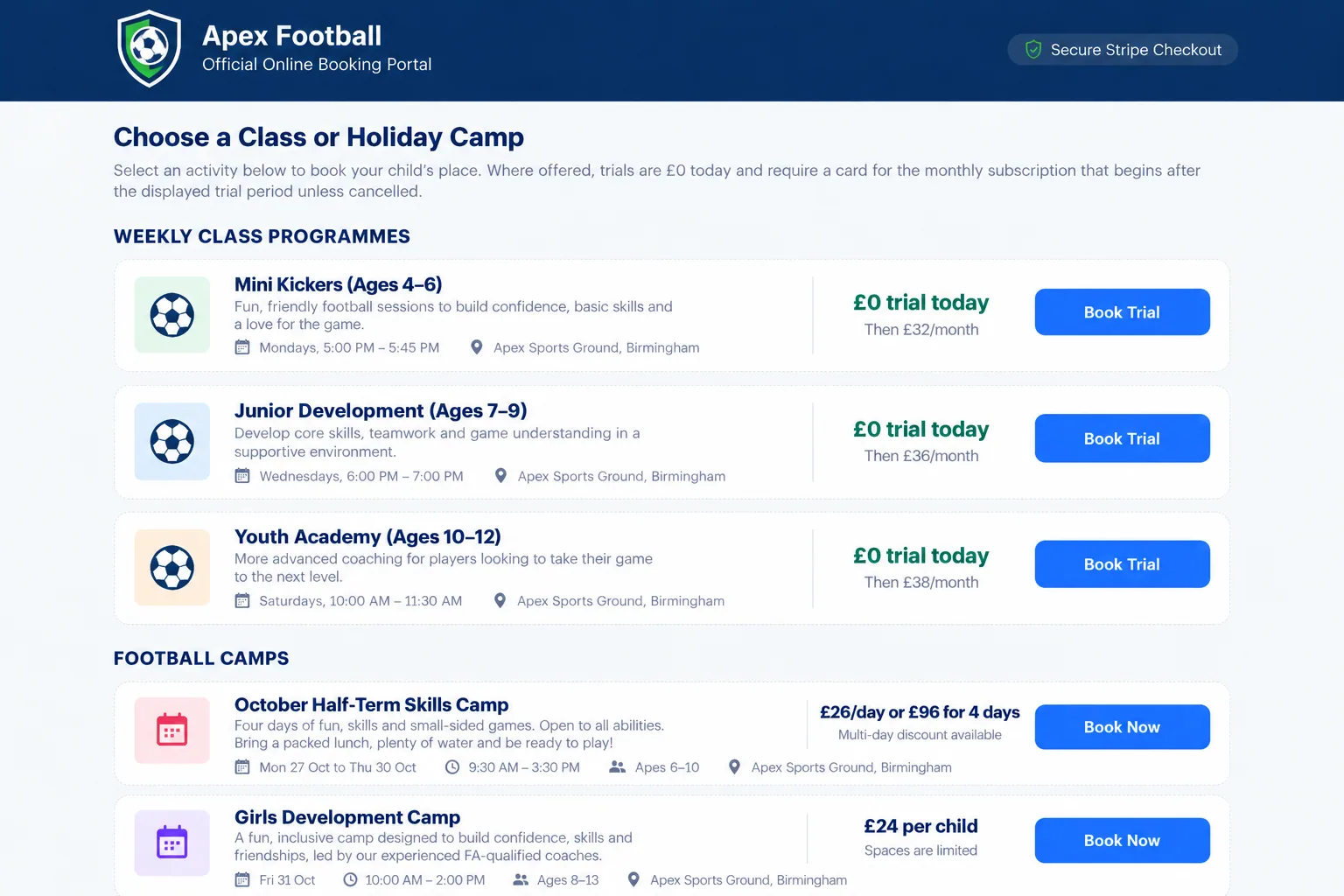
For a children's activity provider, booking software is no longer just a digital calendar. A good kids club booking system should handle online bookings, recurring payments, registers, parent details, coach access, communications and reporting without creating more admin than it removes.
Whether you run football coaching, dance classes, gymnastics, swimming, performing arts, multi-sports sessions or holiday camps, the best booking software for children's activity clubs should support the way your club actually operates.
1. Start with the booking experience for parents
Parents should be able to find a class, understand the age group, location, day, time and price, and complete a booking without having to message the club first. Mobile usability matters because many bookings will happen from a phone.
Look for an online booking system for clubs that supports class capacity, trial sessions, waiting lists, holiday camps, sibling bookings and clear confirmation emails. A confusing checkout can turn interested parents into abandoned bookings.
2. Understand the real cost, not just the monthly price
One of the biggest differences between class booking software platforms is how they charge. Some combine a subscription with a percentage fee on each booking. That can look inexpensive at first, but the cost grows as your club grows.
Coaching Classes does not charge a platform transaction fee.
Your club pays the subscription for the software. We do not take an additional percentage of every booking you receive. Standard payment processing fees from your payment provider may still apply.
This distinction matters for growing clubs. If your revenue doubles, a percentage-based platform fee can double too. A predictable software cost makes it easier to forecast margins and understand what each booking is actually worth to the business.
If you are currently comparing providers, see our ClassForKids alternative guide for a direct look at pricing structure, platform fees, onboarding and switching.
3. Make sure payments work for the way you sell classes
Children's activity providers rarely use just one payment model. You may need term payments, monthly subscriptions, one-off bookings, trials, deposits, discounts or camp payments.
Good sports club booking software should let you see who has paid, what a payment relates to and whether anything needs attention. Finance reporting should be understandable without exporting everything to a spreadsheet first.
4. Registers should connect directly to bookings
Attendance registers are far more useful when they are connected to live booking data. Coaches should be able to open the correct register, see the children expected at the session and mark attendance quickly.
This reduces duplicate admin and helps owners maintain clearer attendance records. For children's clubs, it is also useful for coaches to have access to the information they need without giving them unnecessary access to the full admin system.
5. Look for a proper parent and coach experience
A strong club management system should not be designed only for the owner. Parents need a clear place to view bookings, payments and information about their children. Coaches need fast access to registers and session information.
When each user sees the right information, clubs receive fewer repetitive questions and spend less time passing information between systems.
6. Reporting should help you run the business
Booking data becomes much more valuable when you can use it to make decisions. Useful reporting might include class capacity, revenue, active children, parent households, payment issues and trends over time.
For a growing activity provider, this helps answer practical questions: Which classes are full? Where is there spare capacity? Are payment issues increasing? Which sessions are generating the most revenue?
7. Think about switching before you are forced to
Clubs often stay with an awkward booking platform because moving feels risky. Before choosing a new system, check what support is available for onboarding, importing data and moving parents across.
It is much easier to change systems when there is a clear migration plan than to wait until costs, admin or limitations become a serious problem.
A simple checklist for comparing children's activity booking software
Choosing the right system for your club
There is no single booking platform that is right for every organisation. The best children's activity booking software is the one that fits your classes, keeps the parent journey simple, gives coaches the tools they need and keeps your costs predictable as you grow.
Coaching Classes is built specifically around children's classes, clubs and camps in the UK, bringing bookings, families, coaches, attendance and payments into one system.
Want to see how Coaching Classes works?
Explore the platform and see how online bookings, payments, registers, parent accounts and club reporting work together — with no platform transaction fee added to your bookings.
Explore the features